No more Google Sheets.
Everything in one place.
Repairs, stock, customers and real profit, in one app for flippers and repair shops.
Switching from another app? Bring your data with you
Powering repairs for leading businesses






Everything you need to flip and fix phones
One app for both sides of the trade.
Repair Tickets
Every job on one board, from booked in to collected, with due dates flagged.
Customer Messages
Text and WhatsApp updates, sent and received in one inbox.
Inventory
Every phone with its grade, cost and margin, from intake to sold.
Price List
What you charge for each repair, phone by phone. Prices fill in when you check a phone in.
23 Oct 2026
Labels & Invoices
Repair tags for your thermal printer and clean invoices, straight from the browser.
Profit Analytics
Real profit after fees, by brand, source and month.
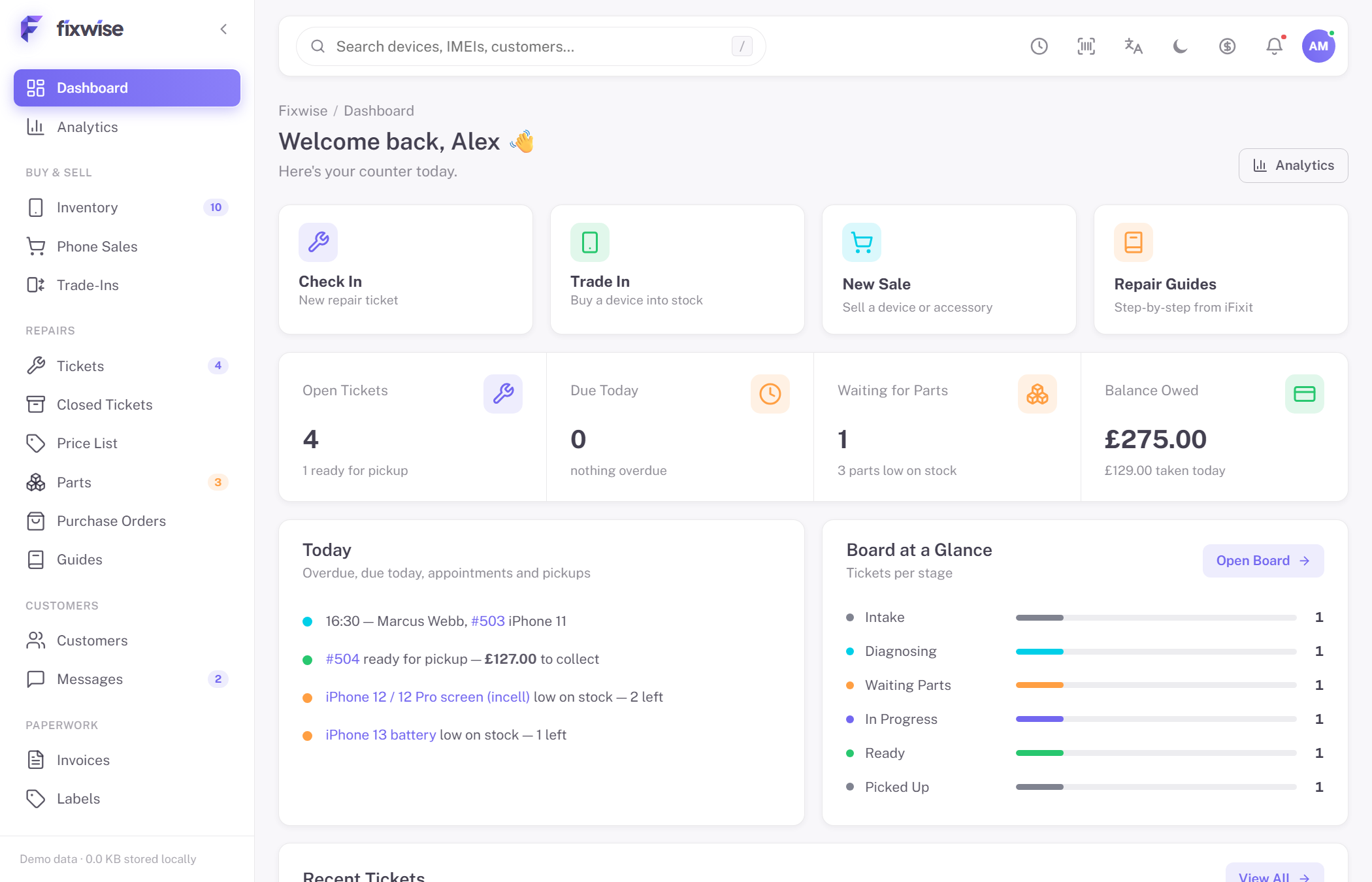
One dashboard, every moving part
Pick a screen to explore. These previews are live.
Bring your shop over in minutes
Export from your old app, drop the files in, and you’re done. Every import can be undone.
- 1Export CSV or Excel files from your old app
- 2Drop them in and Fixwise works out what each one holds
- 3Check the matches and import
Works with exports from RepairDesk, RepairShopr, MyRepairApp, CellSmart, Orderry and any spreadsheet.
Simple pricing, designed for you
A plan for flipping and a plan for running a shop. Both start with a 14-day free trial, no card needed.

Flipper
For solo flippers and resellers
- Unlimited Devices & Repairs
- Inventory, Sales & Ticket Board
- Profit, Ageing & ROI Analytics
- Trade-In & Buyback Intake
- Repair Guides Library
- Labels, Invoices & CSV Export

Shop
For repair counters with customers
Everything in Flipper, plus:
- 5 Teammates with Roles & PINs
- Time Clock & Staff Activity Log
- Customer Texts & Messages Inbox
- Rota, Timesheets & Day Checks
- Appointments & Customer Database
- Cloud Backup & Sync

Multi-Store
For more than one location
Everything in Shop, plus:
- Unlimited Teammates & Locations
- Cross-Store Inventory Transfers
- API Access & Integrations
- Onboarding & Dedicated Support
Rated 4.9 out of 5
By the flippers and repair shops that use it every day.
Frequently asked questions
Where is my data stored?
In your browser's local storage, on your computer. Nothing is uploaded anywhere. That also means: clear your browser data and it's gone — so use Settings → Data → Download Backup now and then.
Which label printers work?
Any printer your browser can print to. The label is laid out for 2.25 × 1.25″ thermal stock (Zebra, Rollo and similar) — pick the label printer in the print dialog and set the paper size to your stock.
Can I move my data to another computer?
Yes. Settings → Data → Download Backup saves one file with everything; on the other computer, Import From Another App → Fixwise Backup restores it. The CSV exports are for spreadsheets and accountants.
Can I switch from another repair app?
Yes. Export your customers, tickets, parts and stock as CSV or Excel from the app you use now, then open Settings → Data → Import From Another App. Fixwise recognises the usual column names, lets you fix any it misses, and every import can be undone in one click.
Which plan do I need?
Flipper if it's just you buying, fixing and reselling — stock, profit analytics and trade-in tools. Shop adds teammates with PINs, a rota and time clock, customer texts and cloud sync for a counter with customers. Multi-Store is for running more than one location. Every plan starts with a 14-day free trial.
Is there a catch?
No watermarks, no telemetry, and your data lives on your machine — not our servers. The trial is the full product, so you can prove it fits before paying.